Manage SMS Contacts and Subscriber Groups in One Place

TextTorrent helps businesses import SMS contacts, organize subscriber groups, and review contact records before campaigns go out. Keep campaign audiences, conversation context, and opt-out visibility connected in one messaging workspace.

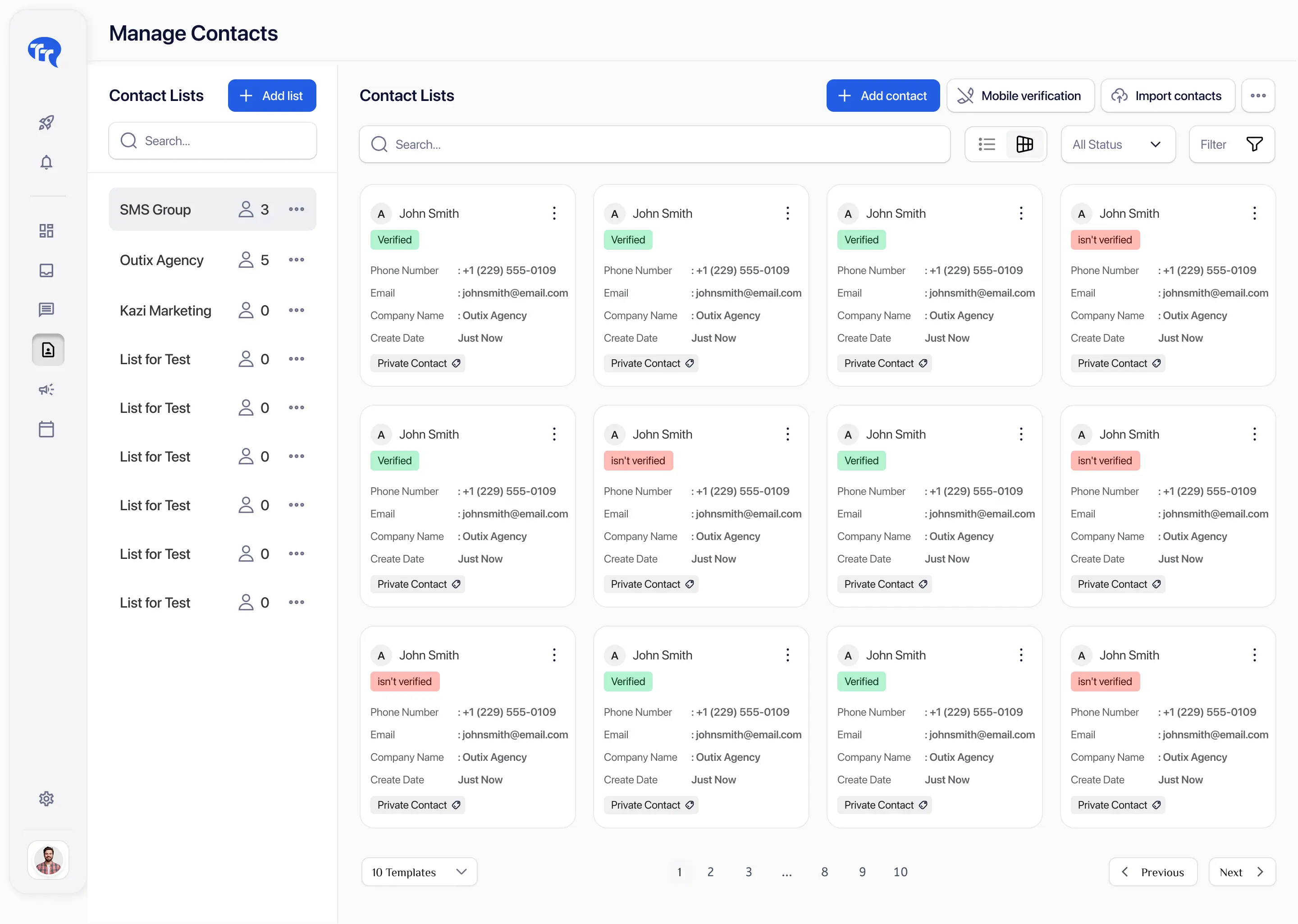
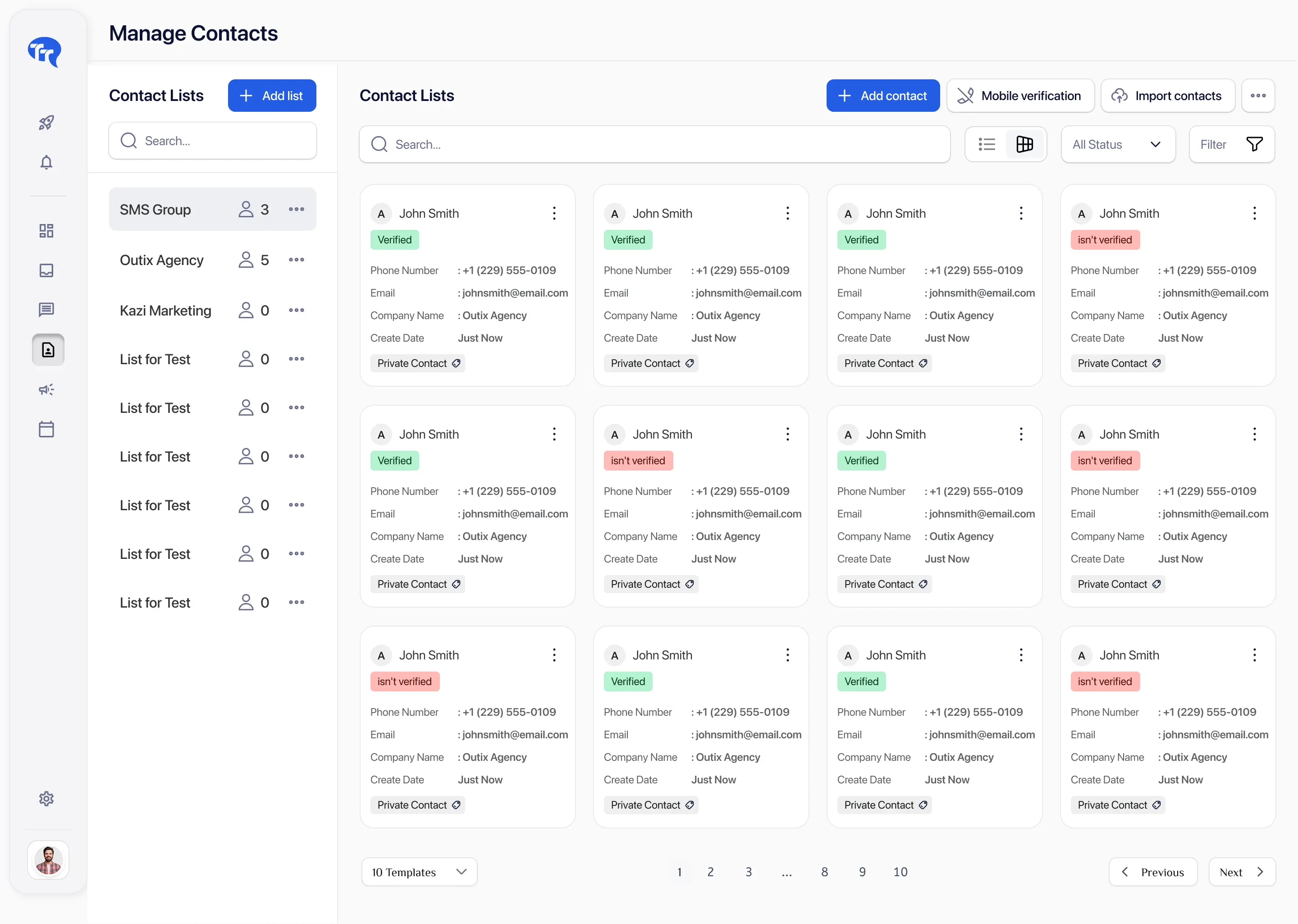
TextTorrent SMS contact dashboard showing subscriber records, groups, search, and status

No credit card required

Organize Contacts into Groups

Review Subscriber Status

Connect Contacts with Messaging Activity

The Challenge

SMS Campaigns Depend on Accurate, Organized Contact Data

Campaign quality and team efficiency suffer when contacts are scattered, duplicated, outdated, or difficult to filter. SMS contact management software keeps audience selection tied to the same platform used for messaging.

Contact Lists Become Fragmented

Contact Lists Become Fragmented

Contacts stored across spreadsheets, devices, and unrelated systems make audience management difficult and increase the chance of sending from incomplete records.

Every Contact Should Not Receive Every Message

Every Contact Should Not Receive Every Message

Different groups need different messages based on relevance and consent. Broad sends to the entire database often create unnecessary noise.

Subscriber Status Can Be Missed

Subscriber Status Can Be Missed

Teams need visibility into blacklist, unlisted, invalid, or otherwise unavailable records before preparing a campaign.

Conversation Context Becomes Hard to Find

Conversation Context Becomes Hard to Find

Contact records are more useful when they connect to prior campaigns and replies instead of living in a separate spreadsheet.

The TextTorrent Contact Workspace

Organize Messaging Contacts from One Central Interface

TextTorrent connects contact records, phone numbers, names, contact lists, folders or tags, search, filters, subscriber status, campaign audience selection, two-way conversations, blacklist and blocked-list records, and CSV import where supported—so audience management stays inside the messaging platform.

TextTorrent contact management workspace with contact records, groups, and filters
Search, organize, and review contact records before using them in campaigns or conversations.
How It Works

How to Organize SMS Contacts with TextTorrent

Use a clear contact workflow so records are reviewed, organized, and checked before they become campaign audiences.

01

Add or Import Contacts

Add contacts individually or import them through the supported CSV import process with column mapping.

02

Review Contact Details

Confirm the phone number, name, email, company, list assignment, folder or tag, and other supported fields before messaging.

03

Organize Contacts into Groups

Use contact lists to create relevant campaign audiences instead of sending every message to the full database.

04

Review Subscriber Status

Confirm whether contacts are available for messaging, blacklisted, unlisted, or marked invalid before preparing a campaign.

05

Select Contacts for Campaigns

Choose contacts or contact lists when preparing a bulk SMS or scheduled campaign.

06

Maintain the Record Over Time

Update contact information, list membership, folder assignment, or status as the relationship and messaging needs change.

  1. Add contacts
  2. Review details
  3. Organize groups
  4. Check status
  5. Select audience
  6. Maintain records
Contact Profiles

Keep Important Messaging Details Connected to Each Contact

A TextTorrent contact record stores the messaging details teams need to prepare campaigns and continue conversations. TextTorrent is a messaging contact workspace—not a claim that every CRM feature is included.

Name

Name

First name and last name for personalization and search.

Phone Number

Phone Number

The messaging number used for campaigns and two-way conversations.

Email

Email

Optional email address when the contact record includes it.

Company

Company

Optional company name for business contacts and operational context.

Contact List

Contact List

List assignment that helps organize contacts into campaign audiences.

Folder or Tag

Folder or Tag

Folder assignment that can identify operational or lifecycle context.

Messaging Status

Messaging Status

Visibility into blacklisted, unlisted, invalid, or available contact states where supported.

Notes

Notes

Contact-associated notes can support team follow-up context where available.

Contact Profile

Review Details Before Messaging

Open a contact record to confirm the phone number, list assignment, folder or tag, and messaging status before using the contact in a campaign or conversation.

TextTorrent SMS contact profile showing contact details and messaging status
Audience Organization

Build Relevant Campaign Audiences with Groups and Tags

Contact lists and folders help teams organize audiences. List and folder examples below are illustrative—not product defaults.

Contact Lists (Groups)

Use contact lists to organize contacts into larger campaign audiences.

Example audiences

  • Real estate buyers
  • Mortgage applicants
  • Insurance renewals
  • Restaurant subscribers
  • E-commerce customers

Example audience names only. Create the lists that match your business process.
Folders or Tags

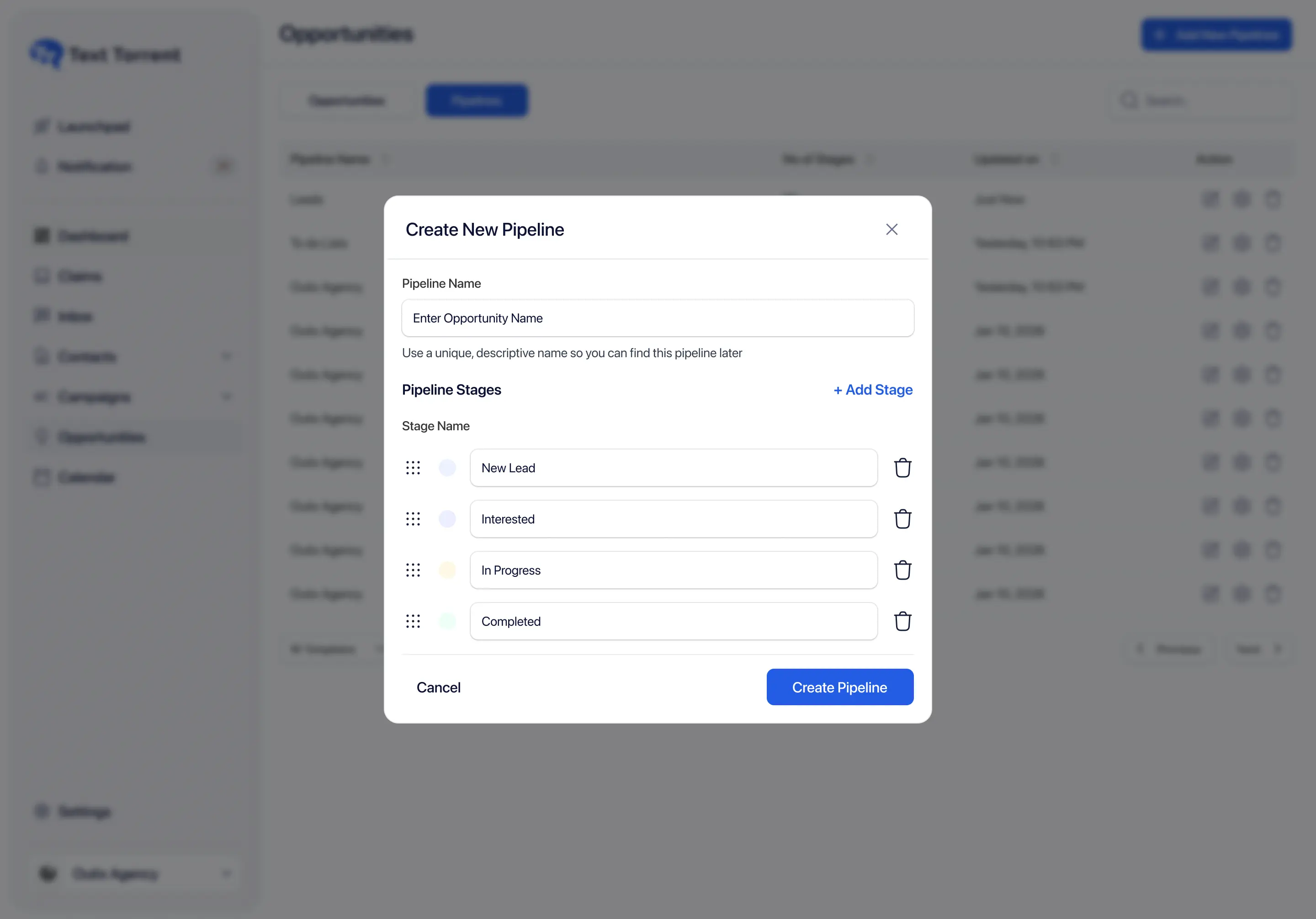
Use folders or tags to identify operational or lifecycle context that helps filtering and workflow organization.

Example labels

  • New lead
  • Documents needed
  • Appointment scheduled
  • Follow-up required
  • Existing customer

Example labels only. Folder and tag names should match your team’s process.

Contact Import

Move Existing Contacts into TextTorrent

TextTorrent supports CSV contact import with custom column mapping so teams can bring existing records into a contact list. Import history can show stored and skipped records, and skipped-number reports are available where generated.

  1. Confirm the contacts have appropriate consent.
  2. Standardize phone-number formatting.
  3. Remove obviously invalid records.
  4. Prepare relevant contact lists or folders.
  5. Review imported records before sending.
  6. Confirm blacklist and suppression handling.
TextTorrent contact import screen showing file and import options

Uploading a contact list does not establish consent. Businesses remain responsible for verifying that each contact may lawfully and appropriately receive the intended messages.

Find the Right Contacts

Search and Filter Contact Records Efficiently

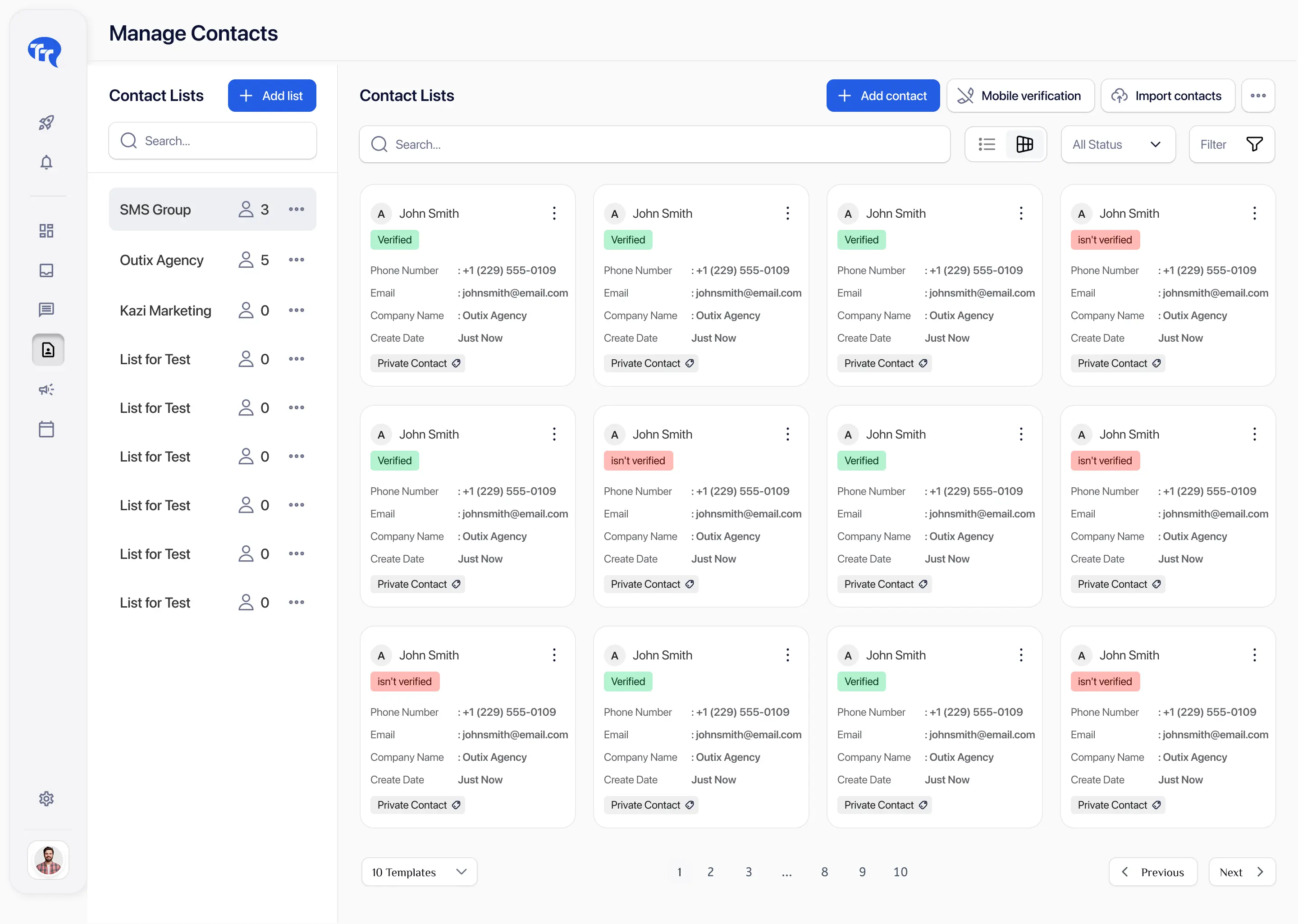
Search and filter controls help teams locate the right contacts before replying or preparing a campaign.

Search fields

  • First name
  • Last name
  • Phone number

Filters

  • Contact list
  • Unlisted contacts
  • Blacklisted contacts
  • Find one customer before replying.
  • Review contacts in a specific list.
  • Check blacklisted records.
  • Identify contacts that still need list or folder organization.
  • Prepare a targeted campaign audience.
TextTorrent contact list with search and filtering controls
Subscriber Status

Know Which Contacts Should Not Receive a Campaign

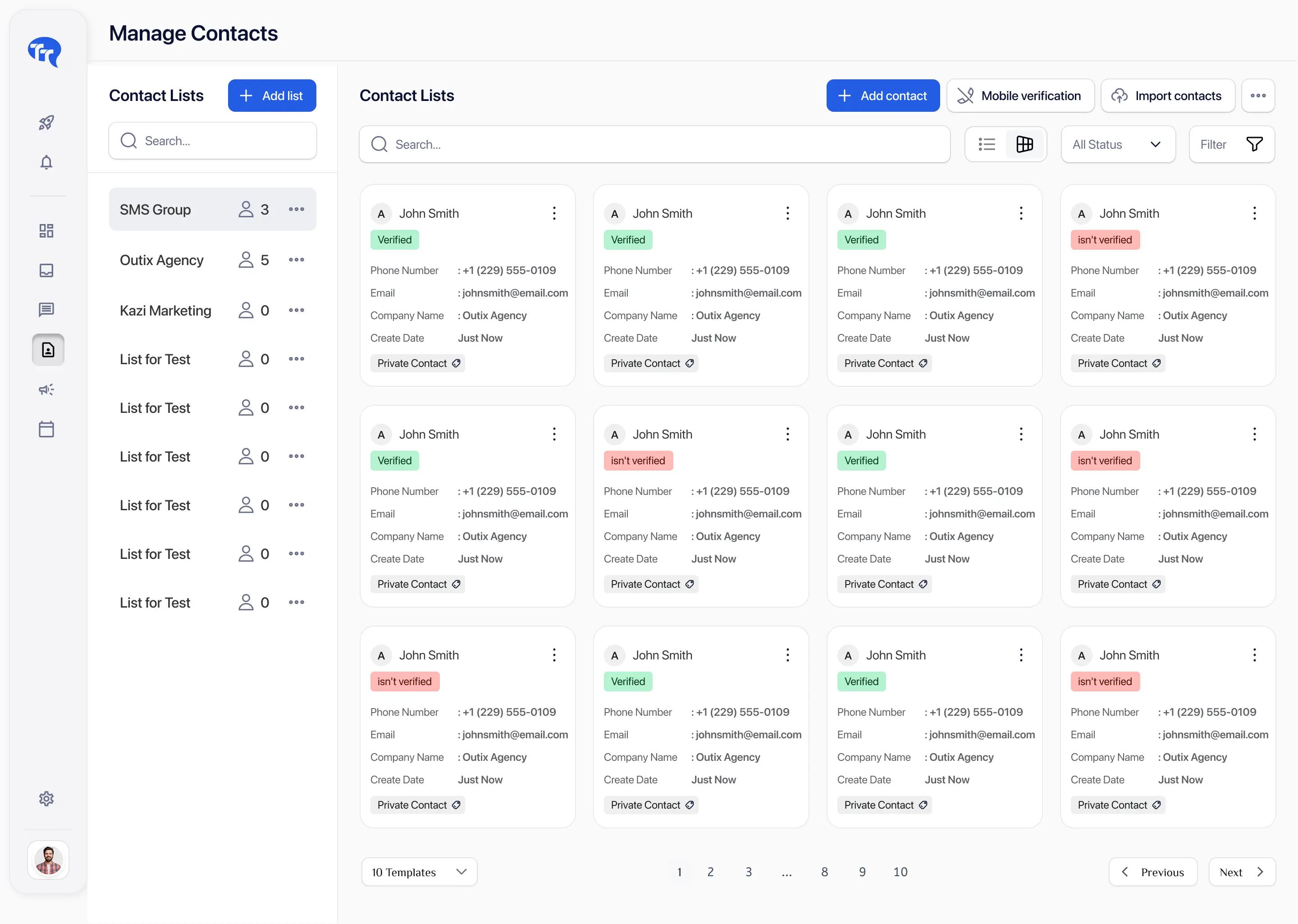
Suppression checks should happen before campaign sending. TextTorrent provides contact-type and validation visibility, but does not claim to prevent every possible compliance issue.

Default / Available in a List

Default / Available in a List

A normal contact assigned to a contact list and available for messaging workflows when other suppression rules do not apply.

Blacklisted

Blacklisted

The contact is included in a blacklist or blocked-list record and should not receive messages through the normal campaign workflow.

Unlisted

Unlisted

The contact exists but is not assigned to a contact list, so it should be reviewed before campaign audience selection.

Invalid

Invalid

The phone number is marked invalid or has not passed validation successfully and may not be usable for the intended messaging workflow.

TextTorrent contact list with search and filtering controls
Campaign Audiences

Use Organized Contacts to Build More Relevant Campaigns

Contact management connects directly to Bulk SMS. Select the right list, check status, prepare the message, and review the audience before sending or scheduling.

Explore bulk SMS software

  1. Review the campaign goal.
  2. Select the appropriate contact list or contacts.
  3. Check subscriber status.
  4. Prepare the message.
  5. Review the audience.
  6. Send or schedule the campaign.
  7. Review campaign activity.
  • Different audiences need different information.
  • Smaller relevant audiences may be more operationally useful than sending every message to the full database.
  • List selection should align with the registered use case.
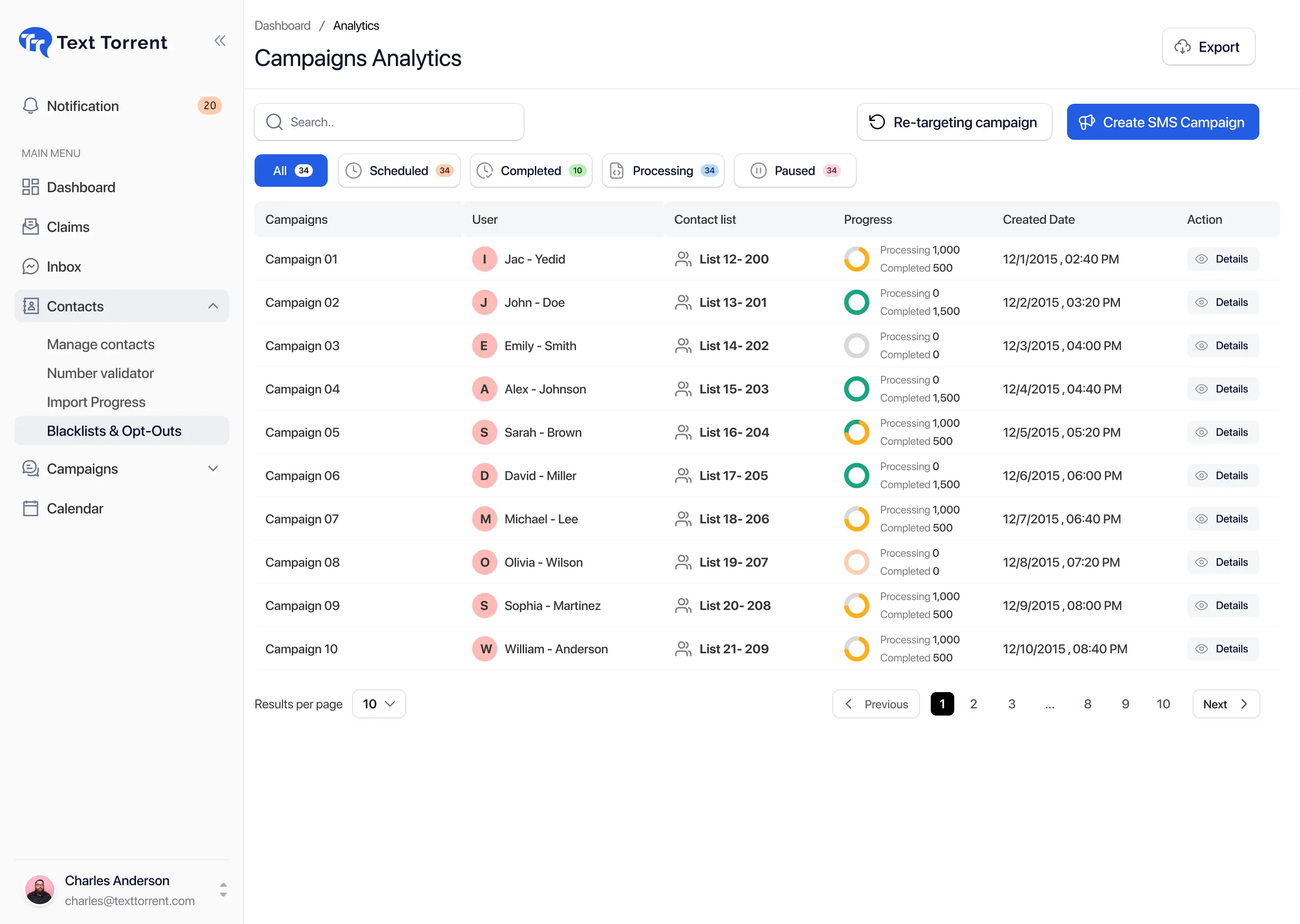
TextTorrent campaign audience selection showing SMS contact groups
Conversation Context

Connect Contact Records with Two-Way Messaging

Contact visibility helps team members understand who they are replying to. Supported conversation context can include name, phone number, list or folder assignment, and recent messaging activity.

Know Who Is Messaging

Know Who Is Messaging

Name and phone number help teams reply with the right contact context.

Keep Conversation History Nearby

Keep Conversation History Nearby

Two-way messaging keeps replies connected to the contact instead of scattered across personal devices.

Use List and Folder Context

Use List and Folder Context

Audience organization can help teams understand why a contact is being messaged and what follow-up is relevant.

Support Team Follow-Up

Support Team Follow-Up

Contact and conversation context can support Claims or inbox ownership workflows where those tools are available.

Explore two-way text messaging

Audience Example

Prepare a Mortgage Document-Reminder Audience

Example scenario: a mortgage company needs to remind opted-in applicants who still need to submit a document.

  1. 01

    Import or locate the relevant applicant contacts.

  2. 02

    Place them in a Documents Needed list or apply a relevant folder or tag.

  3. 03

    Confirm subscriber status.

  4. 04

    Remove contacts who have already completed the requirement.

  5. 05

    Select the remaining audience.

  6. 06

    Create or select a document-reminder template.

  7. 07

    Send or schedule the campaign.

  8. 08

    Manage replies through two-way messaging.

Data Quality

Review Duplicate, Invalid, and Outdated Contact Records

List quality improves when teams periodically review contact records. TextTorrent provides validation and import-skip reporting where available, but does not claim automatic deduplication for every duplicate scenario.

Responsible Messaging

Treat Consent and Subscriber Preferences as Contact Data

Contact records are operational data. Consent, suppression status, and audience relevance should be reviewed before every campaign.

TextTorrent provides contact-management and messaging tools, not legal advice. Customers remain responsible for obtaining appropriate consent, protecting personal information, and complying with applicable laws, carrier requirements, and industry rules.

Why TextTorrent

Connect Contact Management Directly to Messaging Workflows

TextTorrent keeps contact records connected to campaigns, conversations, and suppression controls instead of treating the list as a disconnected spreadsheet.

Contacts and Campaigns Together

Contacts and Campaigns Together

Contact lists can be used directly when preparing bulk SMS campaigns.

Contact Records and Conversations

Contact Records and Conversations

Contact context supports two-way messaging and follow-up when customers reply.

Opt-Out and Blacklist Visibility

Opt-Out and Blacklist Visibility

Blacklist, blocked-list, and suppression visibility can help teams avoid messaging contacts that should not receive a campaign.

Groups, Tags, and Automation

Groups, Tags, and Automation

Contact lists and folders or tags can support campaign organization and workflow triggers where those capabilities are available.

No Additional User-Seat Fee

No Additional User-Seat Fee

TextTorrent does not charge an additional platform seat fee when additional users are added. Roles and permissions may still differ by plan and account setup.

Pricing Preview

Plans Built Around Credits, Not Seat Taxes

Start with a seven-day free trial, then choose a plan that matches your messaging volume. Full plan details live on the pricing page.

Starter

$49/mo

7,000 credits

Pro

$199/mo

30,000 credits

Frequently Asked Questions

SMS Contact Management Questions, Answered

Practical answers for teams evaluating TextTorrent as SMS contact management software.

SMS contact management software helps businesses store, organize, search, and use contact records for text campaigns and conversations. It typically includes contact lists, search, status visibility, and audience selection for messaging workflows.

Yes. TextTorrent supports CSV contact import with custom column mapping. Import history can show stored and skipped records, and skipped-number reports are available where generated.

Yes. TextTorrent uses contact lists to organize contacts into campaign audiences so teams can select relevant groups instead of messaging every contact.

Yes. TextTorrent supports folders, which are also described as tags in some responses. Folders help organize contacts for operational or lifecycle context in addition to contact-list grouping.

TextTorrent provides blacklist and blocked-list visibility so teams can review contacts that should not receive messages. Opt-out requests should also be respected through STOP handling and suppression records. Exact on-screen status labels should match the current product interface.

Yes. Search covers first name, last name, and phone number. Contacts can also be filtered by contact list, unlisted status, or blacklisted status.

TextTorrent supports exporting blocked-list contacts where that workflow is available. Broader contact-export options and any record limits should be confirmed in your TextTorrent account or with support before relying on a specific export process.

No. Importing a contact does not create consent. Businesses remain responsible for confirming that each contact may appropriately receive the intended messages.