

Send Now
- The message is time-sensitive
- The audience is ready
- The campaign has been reviewed
- The information needs immediate distribution
TextTorrent helps businesses prepare SMS campaigns, select contact groups, choose a future delivery time, and review campaign reporting from one platform. Schedule the message when the team is ready—and send when the audience should receive it.
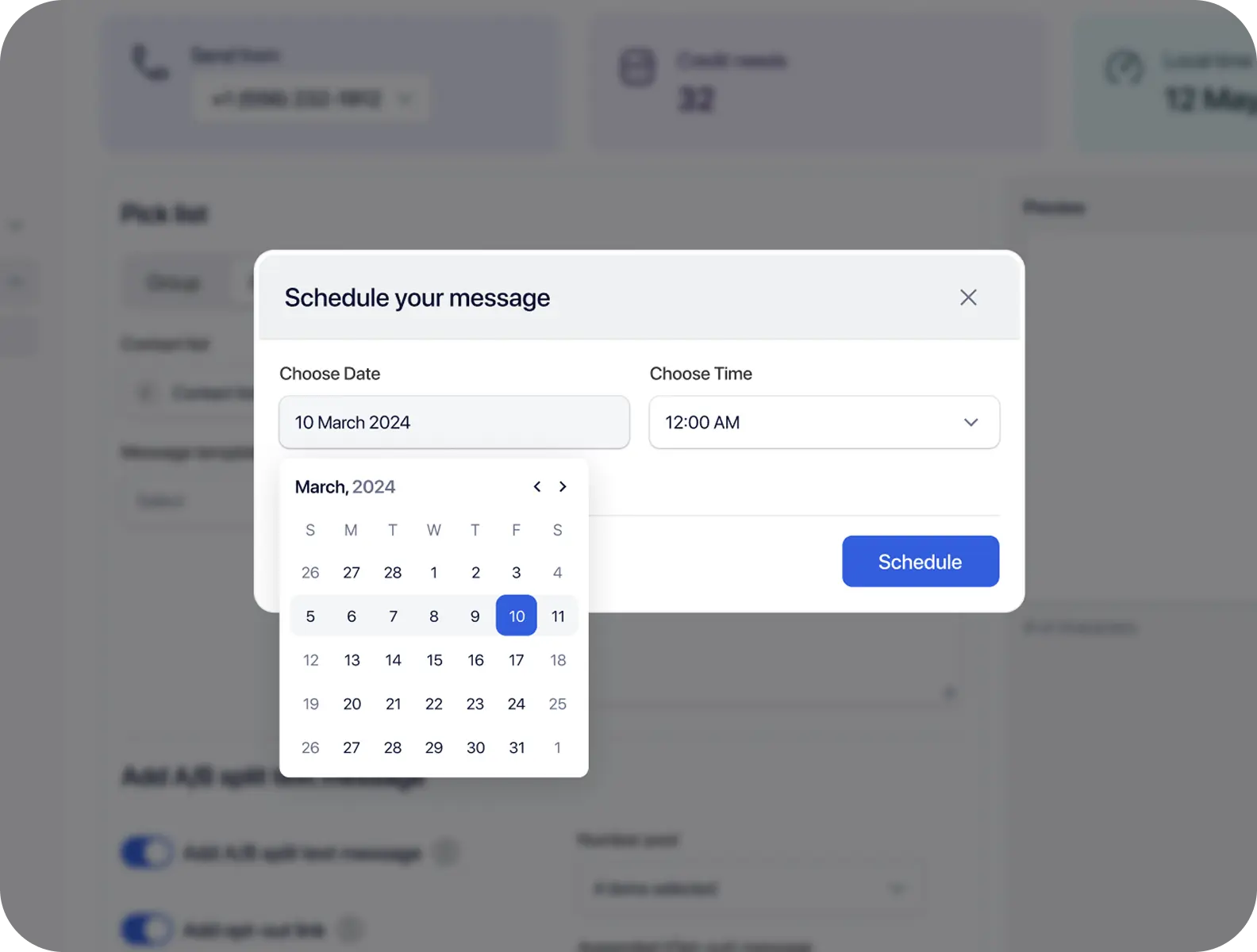
Businesses need a structured scheduling process when reminders, promotions, and follow-up campaigns should go out at a specific time—without relying on someone remembering to send them manually.

Manual sending requires a team member to be online at the intended time, which makes consistent delivery harder across busy schedules.

Rushed audience selection or message review increases the chance of sending the wrong copy, number, or contact group.

Appointment, document, renewal, and event reminders often need consistent timing, and delayed sends can reduce their usefulness.

Without a scheduling interface, it can be difficult to see what is planned and what has already been sent.
TextTorrent connects contact selection, contact groups, campaign creation, message templates, sending numbers, date and time controls, campaign review, scheduled activity, campaign analytics, and two-way replies in one messaging workspace.
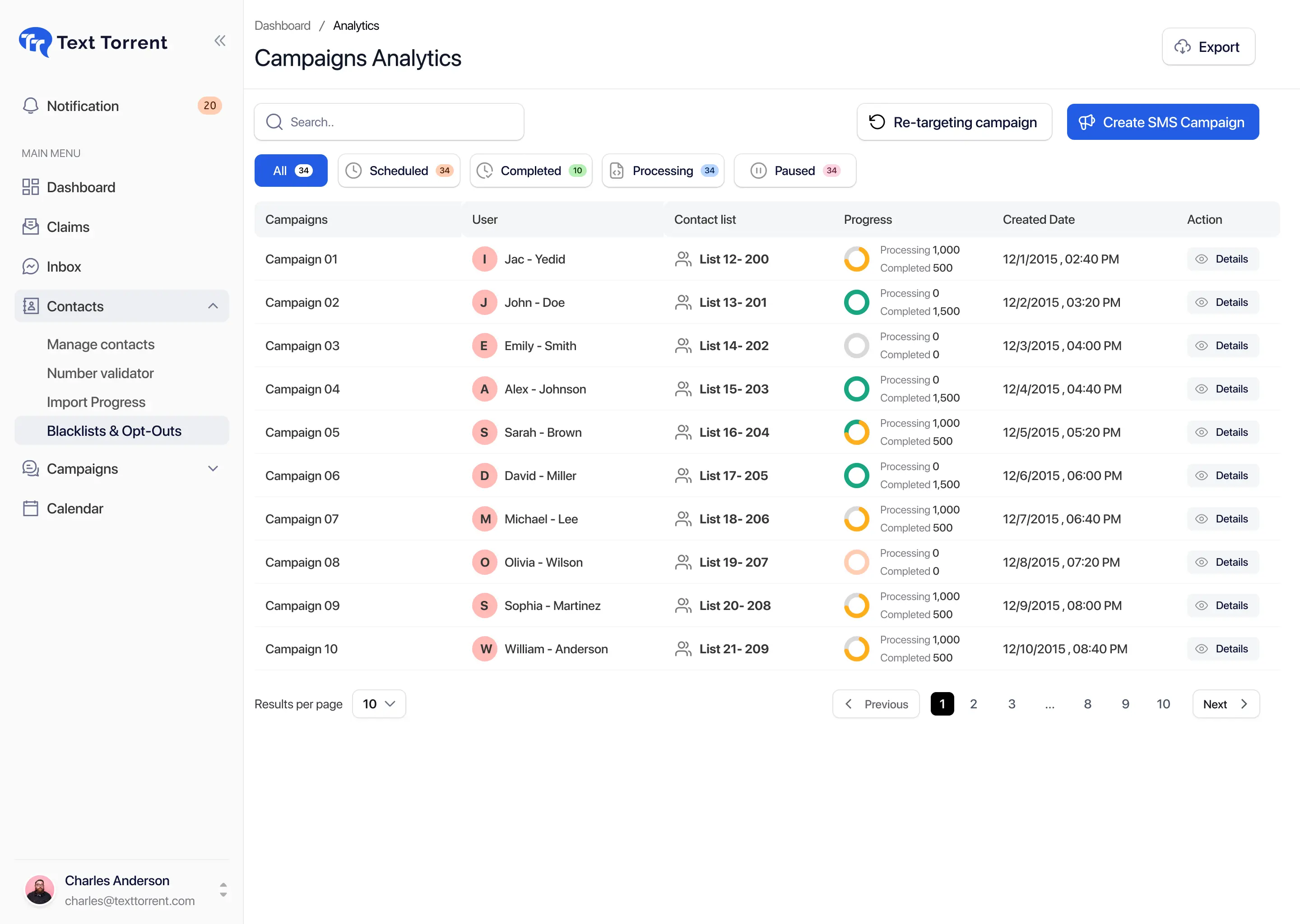
Use a clear campaign workflow so audience selection, message content, sending number, and timing are reviewed before the campaign is scheduled.
Choose the contacts or contact groups that should receive the campaign so the message stays relevant to that audience.
Create and name the campaign so your team can identify it later in campaign activity and reporting.
Write a new message or select a saved template so the campaign content is ready before you choose a delivery time.
Select an appropriate supported business number for the campaign. Number capabilities can vary by inventory and registration status.
Choose when the campaign should run so the message can be prepared ahead of the intended delivery window.
Review the audience, message, sending number, and scheduled time before confirming the campaign schedule.
Campaign review matters because timing alone is not enough. Before confirming a schedule, check that the audience, message, sending number, date, and time match the intended use case.
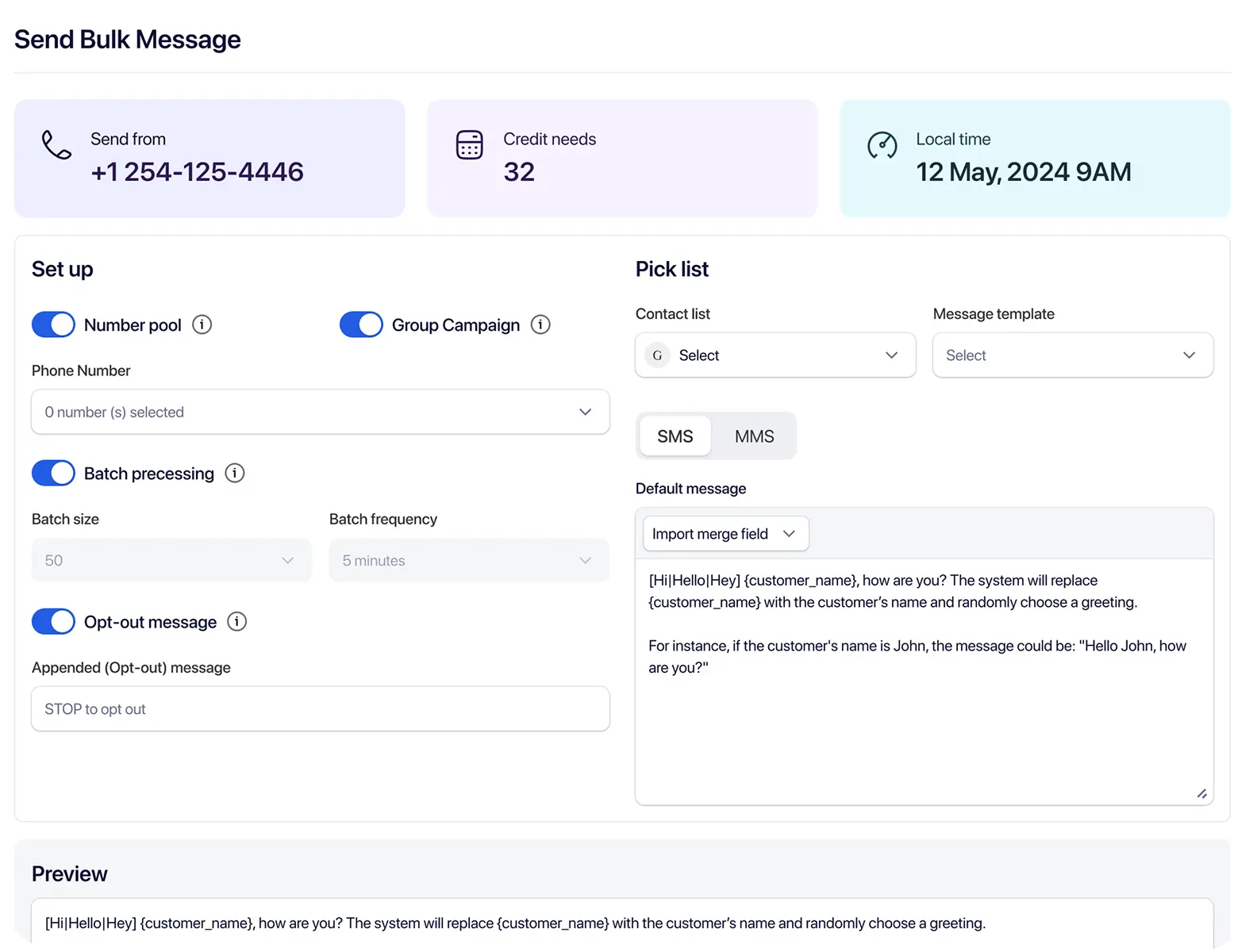
Use TextTorrent scheduling tools to prepare campaigns in advance, verify details, and review activity after the campaign runs.

Prepare a campaign and select a later delivery time so the team is not dependent on someone being available to send manually.

Schedule campaigns sent to selected contact groups when the message needs to reach an audience at a planned time.

Use saved templates to reduce repetitive preparation when teams schedule recurring reminder or announcement styles.

Organize audiences into groups so scheduled messages go to the relevant contacts instead of every subscriber.

Verify campaign details—audience, message, number, and timing—before confirming the schedule.

Review planned or scheduled campaign activity from the campaign workspace where supported.
After the scheduled campaign runs, review campaign activity and message details to guide follow-up.
TextTorrent supports both immediate sending and scheduled delivery. Choose the option that fits the message purpose and your team’s preparation workflow.
Appropriate timing depends on the audience, message purpose, consent, applicable rules, and the business’s operational context.
Scheduling is especially useful when the message should arrive before an appointment, deadline, event, or promotional window.
Recipients may confirm, reschedule, or ask a follow-up question.
Explore Appointment Reminders messagingRecipients may reply with documents or ask what is still needed.
Explore Document Reminders messagingBuyers may reply to ask about availability or request a showing.
Explore Property Alerts and Open Houses messagingCustomers may reply with questions or next-step requests.
Explore Policy and Renewal Notices messagingGuests may confirm attendance or reply with reservation questions.
Explore Restaurant and Event Promotions messagingCustomers may reply with product or order questions after the campaign sends.
Explore E-Commerce Campaigns messagingExample scenario: a real estate team wants to remind opted-in contacts about an open house on Saturday.
Select the relevant buyer group.
Create or choose an open-house reminder template.
Add the property address and event time.
Select the appropriate business number.
Schedule the message for Friday afternoon.
Review campaign activity after sending.
Manage replies through two-way messaging.
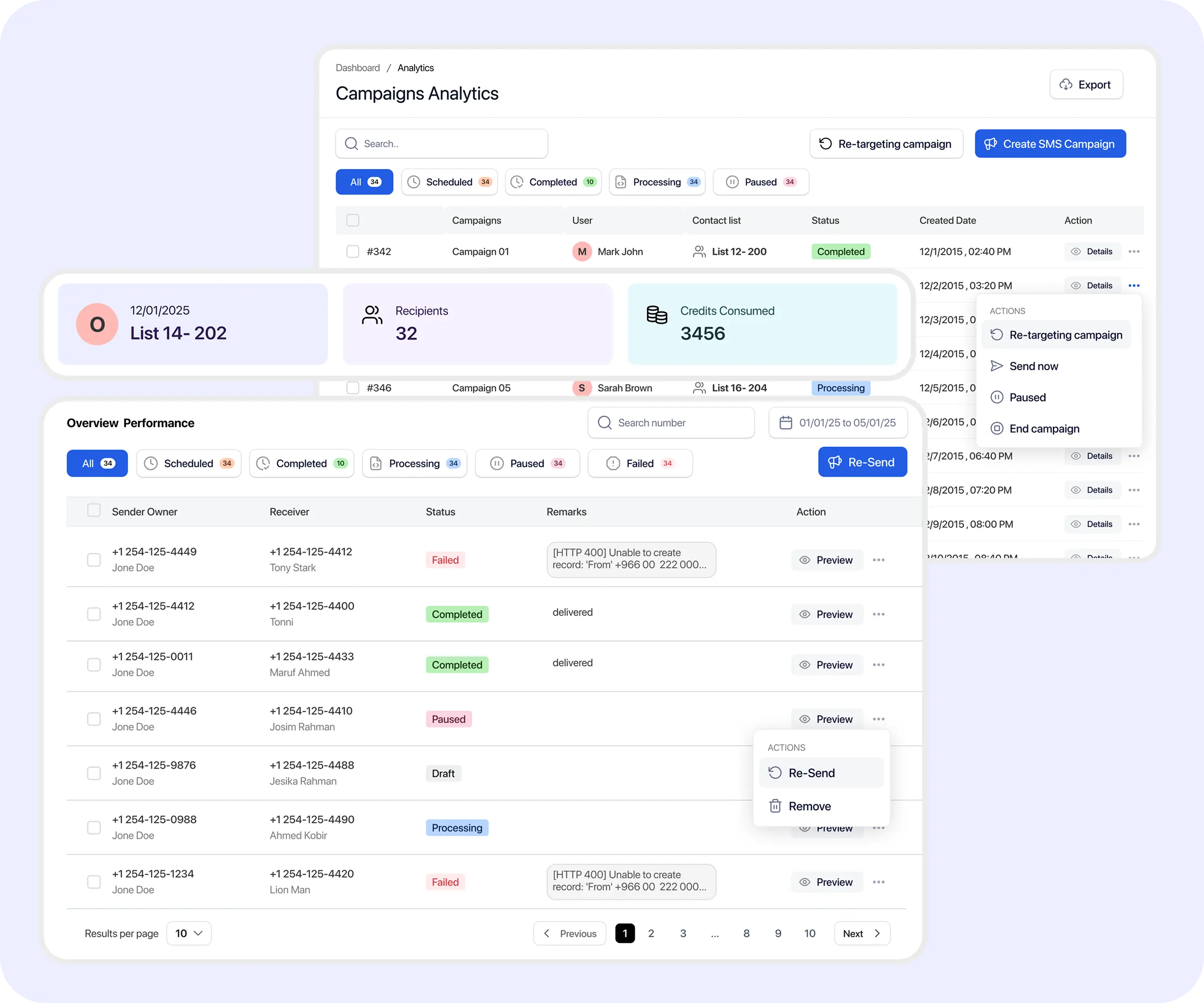
Scheduling is most useful when teams can review planned campaign activity and later inspect what ran. Exact campaign status labels should match the current TextTorrent interface.
Whether an already-scheduled campaign can be edited or canceled depends on the current product workflow and should be confirmed in your TextTorrent account before relying on that behavior.
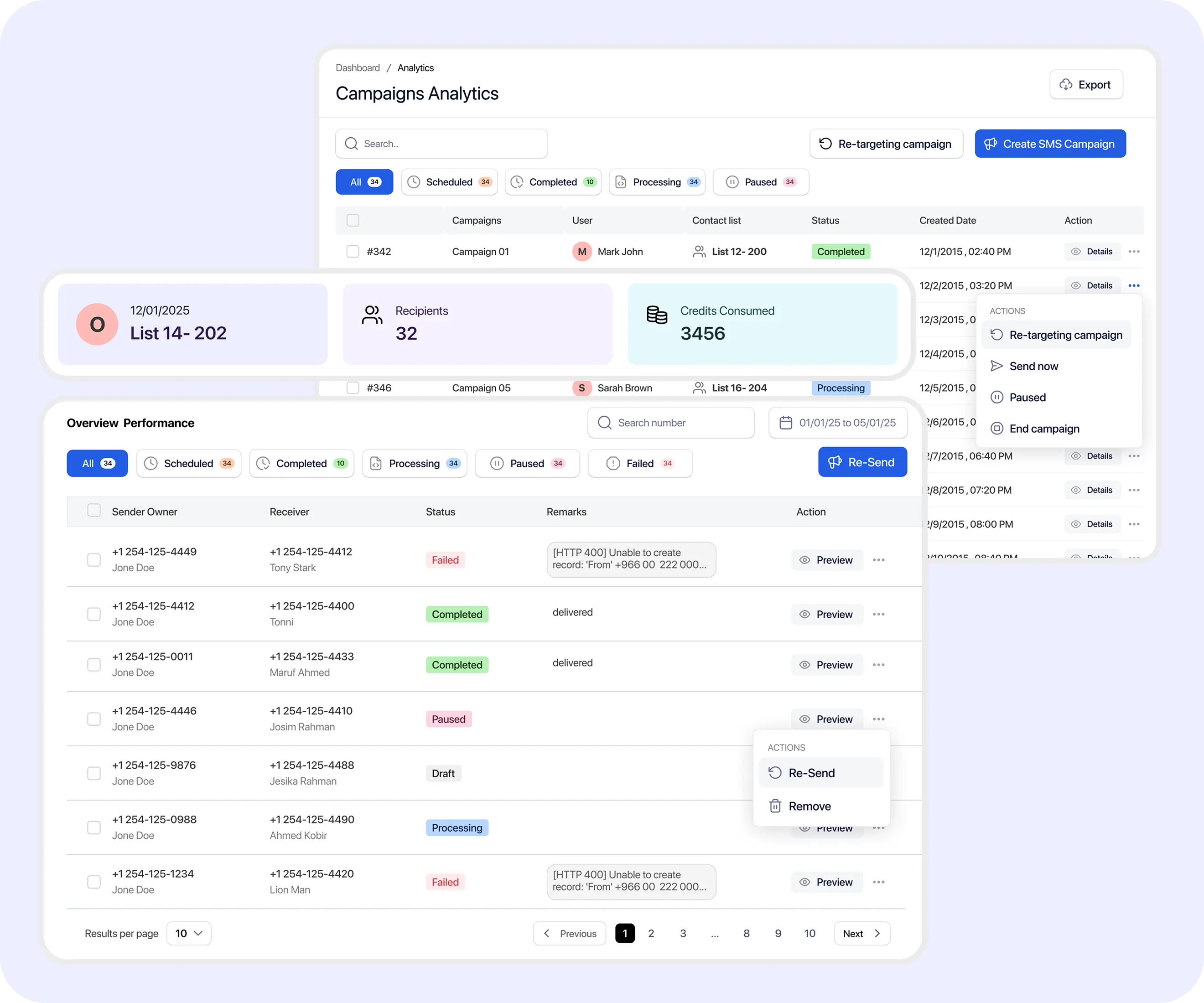
Scheduling is only one part of the workflow. After the campaign runs, review messaging activity to understand what happened and what follow-up may be needed.

The platform submitted or processed the message for sending.
The message was accepted by the relevant downstream provider or messaging system.

A delivery confirmation was returned where available. This does not mean the recipient read the message.

The message could not be delivered or did not receive a successful delivery result.
Scheduled campaigns still require consent-aware messaging practices. Timing tools help teams prepare, but customers remain responsible for compliance decisions.
TextTorrent provides messaging tools and operational controls, not legal advice. Customers remain responsible for obtaining appropriate consent and complying with applicable laws, carrier requirements, quiet-hour rules, and industry requirements.
Scheduling and automation can solve different operational needs. Use the approach that matches how the message should start.
A campaign prepared in advance and set to run at a specific date and time.

A sequence triggered by an event or condition, such as a new contact, stage change, tag assignment, or another supported trigger.
TextTorrent supports both scheduled campaign sending and broader automation capabilities.
TextTorrent keeps scheduling connected to the same campaign, conversation, and reporting tools teams already use.
Build and schedule bulk campaigns from the same broader platform instead of treating timing as a separate tool.
Saved messages and organized audiences help teams prepare campaigns more efficiently before choosing a delivery time.

Recipients can respond to supported messages, and teams can continue the conversation after the scheduled campaign sends.
Review messaging activity after the scheduled campaign runs so follow-up decisions are based on campaign results.

TextTorrent does not charge an additional platform seat fee when additional users are added. Permissions may still differ by account setup.
Start with a seven-day free trial, then choose a plan that matches your messaging volume. Full plan details live on the pricing page.
Everything in our starter plan includes
Everything in starter plus
Everything in growth plus
Full access to all platform features
Practical answers for teams evaluating TextTorrent for scheduled business text campaigns.
SMS scheduling software allows businesses to prepare text campaigns and select a future date and time for sending. Instead of requiring someone to send the campaign manually at that moment, the team prepares the audience, message, and timing in advance.
Yes. TextTorrent supports scheduling for bulk SMS campaigns. Users select an audience, prepare the message, choose a sending number, set the date and time, review the details, and confirm the schedule.
Yes. Before confirming a schedule, review the audience, message, sending number, date, and time so the campaign matches the intended use case.
Yes. TextTorrent supports message templates, so teams can use saved copy when preparing a campaign that will be scheduled for later delivery.
Yes. Supported messages can receive replies that teams manage through TextTorrent’s two-way messaging workflow after the scheduled campaign sends.
Before confirming a schedule, carefully review the audience, message, sending number, date, and time. Whether an already-scheduled campaign can be edited or canceled depends on the current product workflow and should be confirmed in your TextTorrent account.
Yes. After a scheduled campaign runs, users can review campaign activity and message details such as sending and delivery-related statuses where those results are available. TextTorrent does not present delivery as proof that a recipient read the message.
Timing depends on the audience, location, consent, use case, quiet-hour requirements, and customer expectations. There is no single universal ideal send time for every business campaign.